Gmail Inbox Organiser Kit
For finance, HR and admin leads whose inbox mixes bills, reminders, receipts, payroll and statutory notices. The skill files each email under one label, keeps only what needs you in the inbox, flags what needs a reply and turns repeat senders into Gmail filters, always showing you a plan first.
Finance, HR and admin leads lose time sorting the same kinds of email every week, miss replies buried in notifications, and are wary of AI tools that might delete, send or unsubscribe without asking.
Claude, ChatGPT or any AI that accepts skills or project files. A Gmail connector lets Claude label and archive for you; without one you follow the steps by hand. The planner runs in any browser.
A plan of what gets labelled, archived or kept, shown before any bulk change. A list of emails that need your reply, with sender, subject and what is needed. A tested Gmail search query and filter steps for each label.
You approve every bulk change and every filter. The AI never deletes, sends, unsubscribes or blocks, and leaves top management, legal and HR confidential mail for you to handle.
Free trial download. No card needed.
Case study: the problem it fixes
Illustrative scenario, not a client story
Supplier bills, overdue reminders, receipts, payslips and IRAS, CPF, ACRA or MOM notices land in one inbox with newsletters, so a real deadline hides under fifty emails that did not need you.
Why it costs money, not free
A fixed label map, one label per email and filters built from Gmail's documented operators let routine mail file itself, while anything needing a reply stays visible and flagged. Every kit is written and tested by a Chartered Accountant (Singapore), kept to current Singapore rules, and comes with the artifact, templates and setup sheet, not just a prompt.
How it works
- Fill in company-setup.md with your labels, VIP and confidential senders, copying each sender from a real email
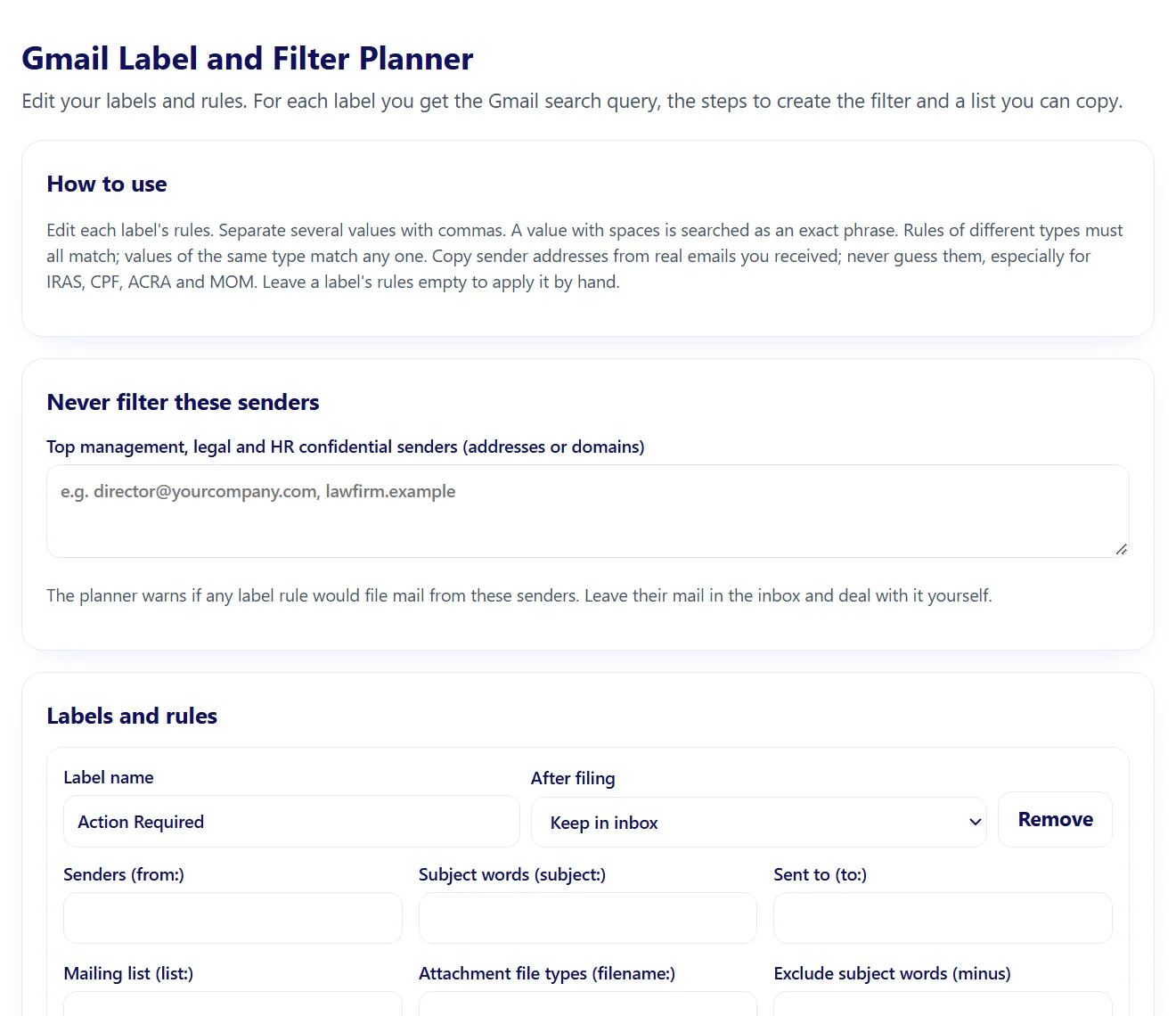
- Use the planner to build and test a Gmail search query for each label
- Ask the AI to scan your inbox and show the plan: what to label, archive, keep and flag
- Approve the plan, then create the filters in Gmail with the steps given
- Run the weekly 10-minute tidy to clear Action Required and catch unlabelled mail
- SKILL.md with the label map, the one-label rule, safety rules and a weekly 10-minute tidy
- company-setup.md for your labels, VIP senders, confidential senders and rules
- References: Gmail search operators and Google's filter and label steps, each with its Google Help link and check date
- Label and filter planner: an offline HTML tool that builds each label's Gmail query and filter steps
- Interactive artifact: Label and filter planner (opens in your browser or in Claude)
- A plan of what gets labelled, archived or kept, shown before any bulk change
- A list of emails that need your reply, with sender, subject and what is needed
- A tested Gmail search query and filter steps for each label
- A copyable label and filter list for your records
Try this first:
Scan my inbox from the last 7 days, suggest a label for each email, list what needs my reply and show me the plan before you change anything.
- Download the ZIP from your order email or your account.
- Open the setup sheet and fill in your company details (about 10 minutes).
- Claude: open Customize, then Skills, upload the skill folder as a zip and switch it on.
- ChatGPT or Copilot: paste SKILL.md into a Project, Custom GPT or agent and attach the other files as knowledge.
- Run the test prompt on the "What you get" tab.
Licence. One company, unlimited internal use. You may edit the files for your own company. You may not resell, share publicly or redistribute them.
Refunds. Skills are delivered instantly, so purchases are final once the download is opened. If a kit does not work as described, email us within 14 days and we will fix it or refund you.
Upgrades. A one-off kit purchase and the one-off customisation service cover the version delivered on the day. Later skill upgrades (updated SKILL.md, references and templates) are included only with the Finance Skills Plan or HR Skills Plan while the plan is active.
Plans. The Finance Skills Plan is S$99 a month and the HR Skills Plan S$59 a month, billed by card until you cancel. Cancel any time in your account; access continues to the end of the paid month. Downloads made during the plan stay usable under the same one company licence. Customisation is not included in a plan.
Customisation. Delivered within 7 days of receiving all the documents we ask for. First revision free; further revisions S$120 each. Customisation fees are refundable in full until work starts.
Not professional advice. Skills are general reference tools for Singapore businesses. Review every output before use and take legal or tax advice for contested or high value matters.
Two ways to start
Get a free costed proposal
Need it built around your own systems instead? Get a written proposal with a fixed price within 3 working days, then a 30-minute call.
Request a free proposal