Personal Gmail Organiser Kit
For anyone whose personal inbox mixes bills, receipts, school notices, bookings and promotions. Every email gets one one-word label and is archived; anything you must act on also gets ActionLater and stays in the inbox, so your inbox becomes your to-do list. The labels are plain data any AI assistant can read.
Personal inboxes fill with mail that needs nothing, so real to-dos get missed, and people are wary of AI tools that might delete, send or unsubscribe without asking.
Claude, ChatGPT, Gemini or any AI that accepts skills or project files. A Gmail connector lets Claude label and archive for you; without one you follow the steps by hand. The planner runs in any browser.
A plan of what gets labelled and archived, shown before any bulk change. An ActionLater list: sender, subject, what to do and by when. A tested Gmail search and filter steps for each label.
You approve every bulk change and every filter. The AI never deletes, sends, unsubscribes or blocks, and never opens or quotes one-time codes, bank alerts or medical mail.
Free trial download. No card needed.
Case study: the problem it fixes
Illustrative scenario, not a client story
Bills, school notices, delivery updates, bank alerts and promotions land in one inbox, so the one renewal or payment you had to make hides under a hundred emails that needed nothing from you.
Why it helps
One one-word label per email and an inbox that holds only ActionLater items turn the inbox into a short to-do list, and give any AI assistant a layout it can read without guessing. Every kit is written and tested by a Chartered Accountant (Singapore), kept to current Singapore rules, and comes with the artifact, templates and setup sheet, not just a prompt.
How it works
- Fill in personal-setup.md with your regular senders, copying each from a real email
- Create the one-word labels from label-map.json
- Ask the AI to sort the last 7 days and show the plan: what to label, archive and keep as ActionLater
- Approve the plan, then create the filters in Gmail with the steps given
- Run the 5-minute daily check: clear ActionLater, file anything new
- SKILL.md with the one rule, the safety rules, the first big sort and a 5-minute daily check
- label-map.json: 16 one-word labels plus ActionLater, each with its search, what goes in and what does not
- personal-setup.md for your senders, private senders and preferences
- References: Gmail search operators and Google's filter and label steps, each with its Google Help link and check date
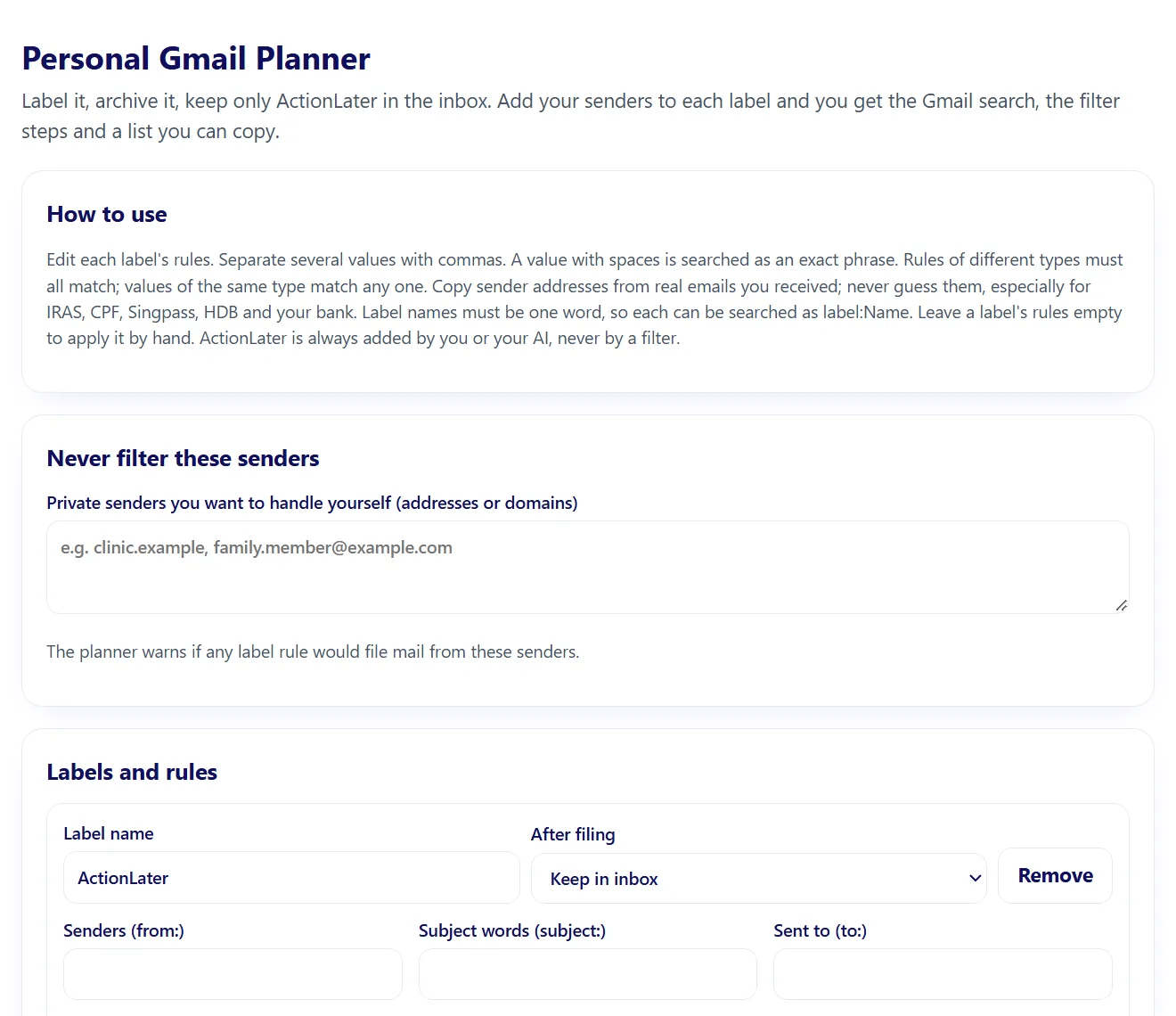
- Personal Gmail planner: an offline HTML tool that builds each label's Gmail search and filter steps
- Interactive artifact: Personal Gmail planner (opens in your browser or in Claude)
- A plan of what gets labelled and archived, shown before any bulk change
- An ActionLater list: sender, subject, what to do and by when
- A tested Gmail search and filter steps for each label
- An inbox that holds only what you still need to do
Try this first:
Look at my inbox from the last 7 days. Give each email one label, tell me which ones need ActionLater, and show me the plan before you change anything.
- Download the ZIP from your order email or your account.
- Open the setup sheet and fill in your company details (about 10 minutes).
- Claude: open Customize, then Skills, upload the skill folder as a zip and switch it on.
- ChatGPT or Copilot: paste SKILL.md into a Project, Custom GPT or agent and attach the other files as knowledge.
- Run the test prompt on the "What you get" tab.
Licence. One company, unlimited internal use. You may edit the files for your own company. You may not resell, share publicly or redistribute them.
Refunds. Skills are delivered instantly, so purchases are final once the download is opened. If a kit does not work as described, email us within 14 days and we will fix it or refund you.
Upgrades. A one-off kit purchase and the one-off customisation service cover the version delivered on the day. Later skill upgrades (updated SKILL.md, references and templates) are included only with the Finance Skills Plan or HR Skills Plan while the plan is active.
Plans. The Finance Skills Plan is S$99 a month and the HR Skills Plan S$59 a month, billed by card until you cancel. Cancel any time in your account; access continues to the end of the paid month. Downloads made during the plan stay usable under the same one company licence. Customisation is not included in a plan.
Customisation. Delivered within 7 days of receiving all the documents we ask for. First revision free; further revisions S$120 each. Customisation fees are refundable in full until work starts.
Not professional advice. Skills are general reference tools for Singapore businesses. Review every output before use and take legal or tax advice for contested or high value matters.
Two ways to start
Get a free costed proposal
Need it built around your own systems instead? Get a written proposal with a fixed price within 3 working days, then a 30-minute call.
Request a free proposal