GST Registration Checker
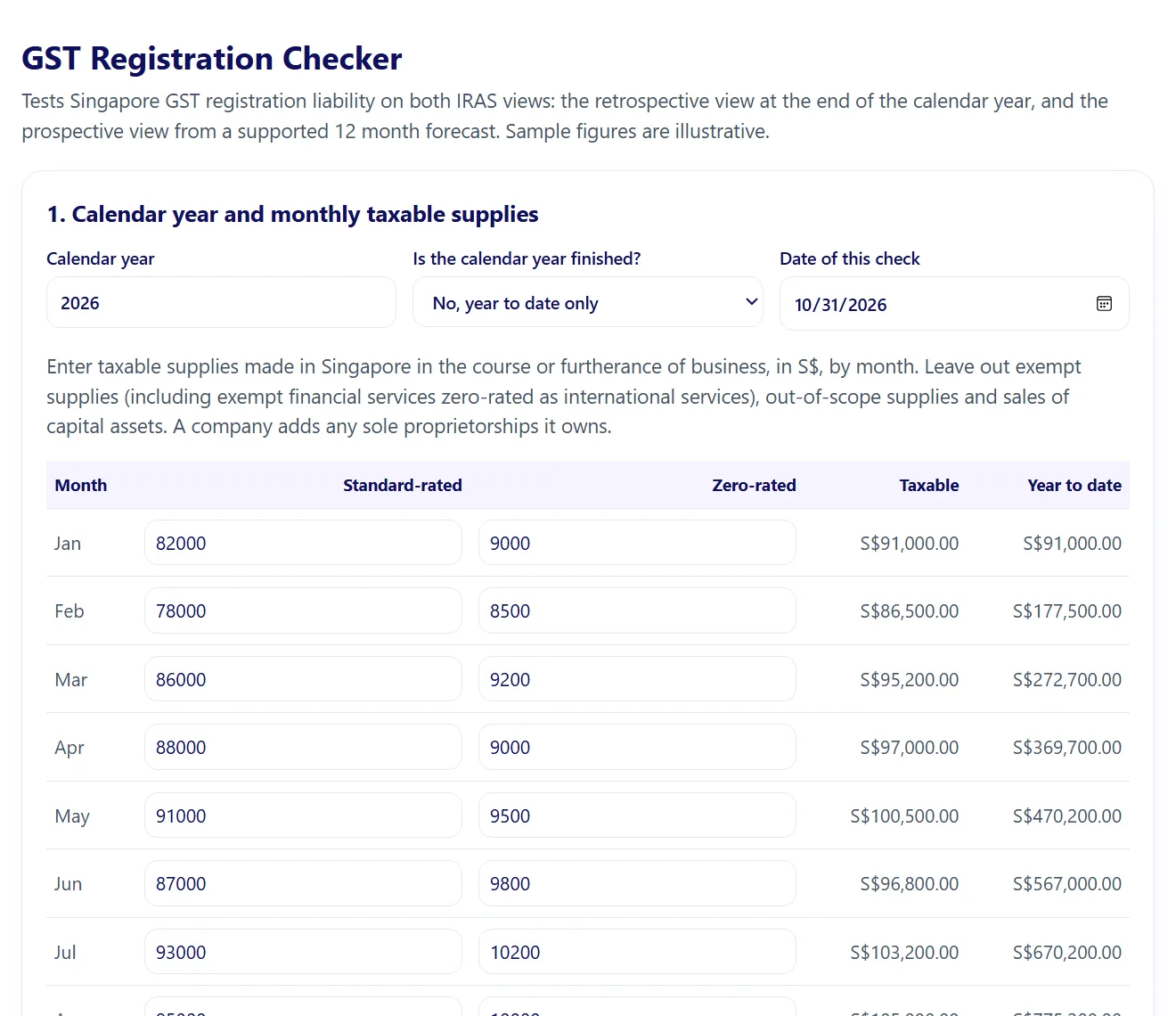
Enter monthly standard-rated and zero-rated sales and the skill works out taxable turnover, tests the calendar year and any supported 12 month forecast against the S$1 million threshold, and gives the dates to apply by and to start charging GST. It flags the zero-rated and retrospective-only exceptions, late registration exposure and voluntary registration in outline. Every rule is referenced to iras.gov.sg, checked 31 October 2026.
Businesses near S$1 million often miss that a signed contract triggers GST registration within 30 days, not at the year end.
Monthly sales by revenue line with GST treatment, and any forecast evidence (contracts, accepted quotations, POs).
Monthly taxable turnover table with year to date. Retrospective and prospective results with apply-by and effective dates. Exceptions and late registration notes.
It will not classify unclear revenue lines, judge whether a forecast is certain enough, or apply to or contact IRAS: you decide and apply.
Free trial download. No card needed.
Case study: the problem it fixes
Illustrative scenario, not a client story
Illustrative scenario: a growing trading company has S$990,000 of taxable sales by October and signs a large contract in early November. Nobody is sure whether registration is triggered now or in January, or which date GST must start being charged from.
Why it costs money, not free
Missing the 30 day window means backdated GST on sales already invoiced without it, plus possible penalties. The check takes minutes and shows the exact dates. Every kit is written and tested by a Chartered Accountant (Singapore), kept to current Singapore rules, and comes with the artifact, templates and setup sheet, not just a prompt.
How it works
- Fill in the company setup once
- Enter monthly standard-rated and zero-rated sales
- Add the forecast date and its evidence
- Read the apply-by and effective dates
- Check the exceptions and keep the memo
- SKILL.md with the step-by-step liability test
- Company setup sheet for constitution and related businesses
- IRAS rules reference with source links and worked examples
- Interactive GST registration checker (HTML)
- Interactive artifact: GST Registration Checker (opens in your browser or in Claude)
- Monthly taxable turnover table with year to date
- Retrospective and prospective results with apply-by and effective dates
- Exceptions and late registration notes
- Short registration memo
Try this first:
We are a Pte Ltd. Taxable sales Jan to Oct 2026 total S$990,700, and we signed a S$1.2 million contract on 2 Nov 2026. Do we need to register for GST, and by when?
- Download the ZIP from your order email or your account.
- Open the setup sheet and fill in your company details (about 10 minutes).
- Claude: open Customize, then Skills, upload the skill folder as a zip and switch it on.
- ChatGPT or Copilot: paste SKILL.md into a Project, Custom GPT or agent and attach the other files as knowledge.
- Run the test prompt on the "What you get" tab.
Licence. One company, unlimited internal use. You may edit the files for your own company. You may not resell, share publicly or redistribute them.
Refunds. Skills are delivered instantly, so purchases are final once the download is opened. If a kit does not work as described, email us within 14 days and we will fix it or refund you.
Upgrades. A one-off kit purchase and the one-off customisation service cover the version delivered on the day. Later skill upgrades (updated SKILL.md, references and templates) are included only with the Finance Skills Plan or HR Skills Plan while the plan is active.
Plans. The Finance Skills Plan is S$99 a month and the HR Skills Plan S$59 a month, billed by card until you cancel. Cancel any time in your account; access continues to the end of the paid month. Downloads made during the plan stay usable under the same one company licence. Customisation is not included in a plan.
Customisation. Delivered within 7 days of receiving all the documents we ask for. First revision free; further revisions S$120 each. Customisation fees are refundable in full until work starts.
Not professional advice. Skills are general reference tools for Singapore businesses. Review every output before use and take legal or tax advice for contested or high value matters.
Two ways to start
Get a free costed proposal
Need it built around your own systems instead? Get a written proposal with a fixed price within 3 working days, then a 30-minute call.
Request a free proposal